 PC Game Port
Download
PC Game Port
Download
Windows games on your Apple Silicon Mac.
No virtual machine. No Windows license. Drop in a game's .exe or its installer and press Play.
-
 Steam
Steam -
 Red Alert
 -
 Elden Ring
Install, play, forget it's Windows.
PC Game Port is a small Mac app that translates a Windows game for your Mac while it runs, so it plays like any other app. It does all the setup for you.
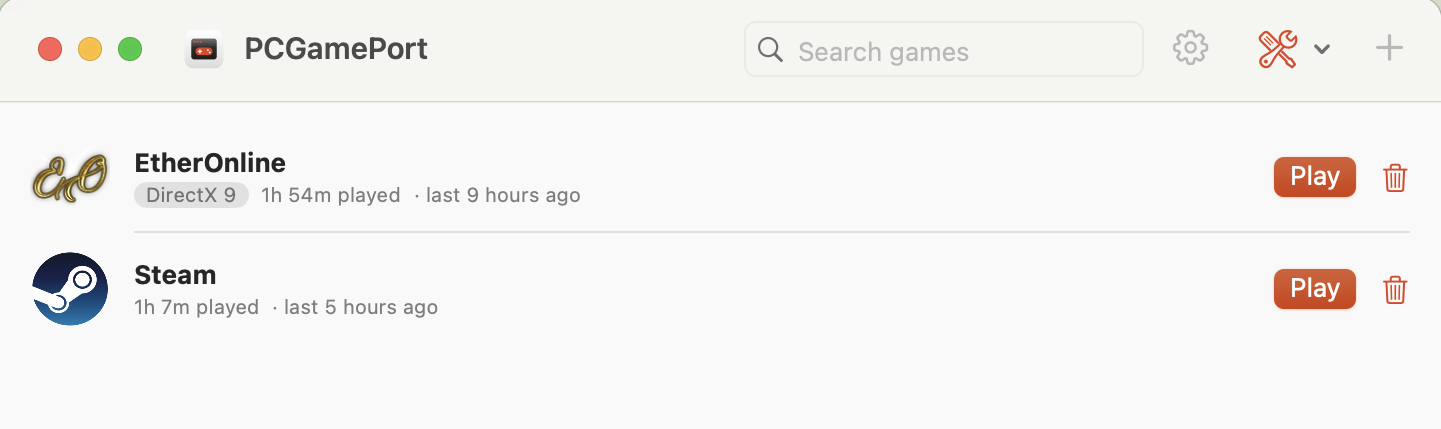
Every game, one click away
Add as many games as you like. Pick a setup .exe and PC Game Port installs it, then adds the game for you. Or drag any game onto the window.
- Icon, graphics API, hours played and last played for every game
- Search, rename and set launch options
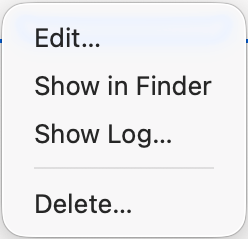
- Delete moves a game to the Trash, so you can still restore it
Know if it runs before you download
Paste the system requirements from a game's store page. Each line gets a tick, a warning or a cross against your Mac.
- Speed estimates allow for the extra work of translating the game for your Mac
- Memory counts the game and its graphics together, because your Mac shares one pool
- Warns you when anti-cheat could block online play
This Mac: Apple M5 · 10-core CPU · 10-core GPU · 32 GB memory · 570 GB free
Memory: 12 GB RAM
Graphics: 3 GB video card
DirectX: Version 11
Storage: 50 GB available space
- Meets: Memory: 12 GB RAM32 GB shared by macOS, the game (12 GB) and its video memory (3 GB).
- Unknown: Graphics: 3 GB video cardUnknown model. Compare it with the 10-core Apple M5 GPU by hand.
- Meets: DirectX: Version 11DirectX 11 runs through DXMT (Metal).
- Meets: Storage: 50 GB available space570 GB free on this Mac.
Settings that say what they do
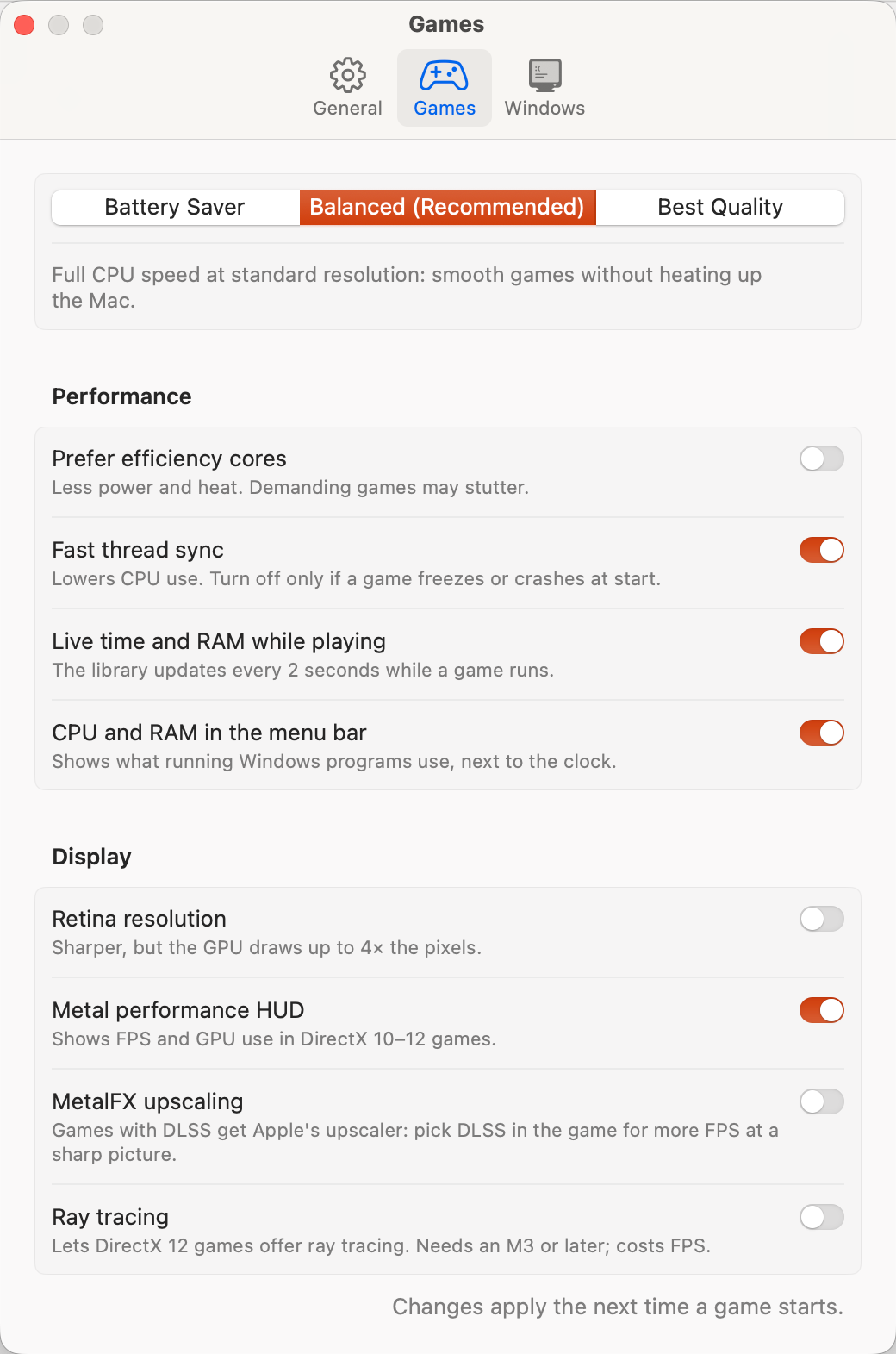
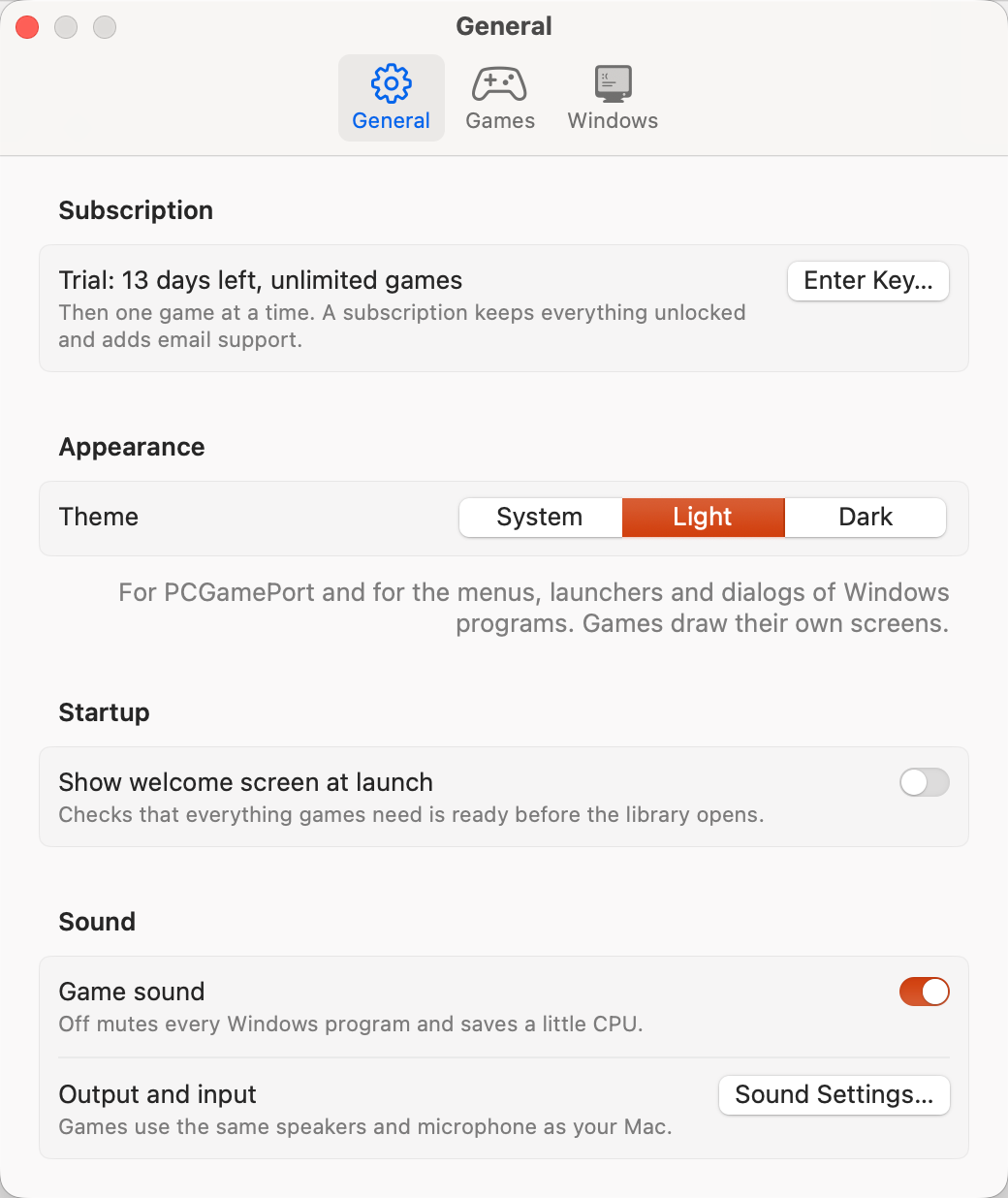
Pick Battery Saver, Balanced or Best Quality in one click, or fine-tune each option. Every setting explains itself in one line.
- A low-power mode for less heat, sharp Retina graphics, and live play time and memory use
- Smoother frame rates with Apple's upscaling, and realistic lighting on M3 or newer
- A light or dark theme for the app and for Windows menus
Graphics set up for you
Each game takes the fastest route to your Mac's graphics. You don't pick anything.
- Most games from the last 15 years (DirectX 10 and 11) work straight away
- The newest games (DirectX 12) use Apple's own free add-on, a one-time download the app walks you through
- Older classics work too, with nothing to add
Store pages list a game's DirectX version under its system requirements.
Nothing extra to install
Windows games expect extra Windows software before they start. PC Game Port already has it.
- The software most games need installs itself before your first game
- Game controllers and game sound work without any setup
- Set up once, so games start faster after that
Small when idle, gone when you quit
PC Game Port stays out of the way, so your Mac's power goes to the game.
- Uses about 40 MB of memory while idle
- Nothing keeps running after a game quits
- See play time and how hard your Mac is working, in the menu bar
Help when a game won't start
The error log collects every problem in one place, ready to send.
- Copy Report sums up your Mac, your settings and the error
- Your username is left out
- Subscribers can email it for help with their game
Mac: Apple M5 · 32 GB memory
macOS 26
Settings: Balanced
Steam exited with code 1.
Username: not included
Try everything free for 14 days.
No card, no account. Every feature and unlimited games for 14 days. Then subscribe to keep playing and adding games: your games, saves and settings stay right where they are.
Free download
- Unlimited games
- Every feature and setting
- No card, no account
Subscription
or $69.99 AUD / year, save 27%
- Unlimited games
- Every feature and setting
- Updates for every new macOS version
- Move it to a new Mac anytime
- Email support
- Renews automatically, cancel anytime online
7-day money-back guarantee: full refund within 7 days of your first payment or a yearly renewal, no questions asked. We email you before every renewal, monthly or yearly. The money usually reaches your account 5 to 10 business days after we approve it, depending on your bank. Refund policy
Download and play in a minute.
Free for 14 days. No card, no account.
Drag it to Applications
Open the downloaded file and drag PC Game Port onto the Applications folder.
Allow it the first time
macOS says it can't check the app, because it isn't notarized by Apple yet. Click Done, open System Settings → Privacy & Security, scroll down and click Open Anyway. You only do this once.
Wait for the welcome screen
It sets up Windows the first time, which takes about a minute. Then add your first game.
Prefer Terminal, or no admin account? Paste the command from the Terminal window instead. It installs without the warning and needs no admin password. The checksum there lets you verify the .dmg.
Install
mkdir -p ~/Applications && curl -fL https://github.com/HTMLGio/pcgameport/releases/latest/download/PCGamePort.zip -o /tmp/pcgp.zip && { pkill -x MacGamers; rm -rf ~/Applications/PCGamePort.app; } && ditto -x -k /tmp/pcgp.zip ~/Applications && open ~/Applications/PCGamePort.appCheck the .dmg
shasum -a 256 ~/Downloads/PCGamePort.dmg
Not sure about a game? Check System Requirements in the app compares it with your Mac before you download it.
You need
- A Mac with Apple Silicon (M1 or newer)
- macOS 14 Sonoma or later
- Rosetta 2. Installing it needs an admin account, once.
- About 1 GB for the app, plus your games
- Each game's own minimum GPU and RAM
- For DirectX 12 games: Apple's free D3DMetal, a one-time download from Apple that the app walks you through. DirectX 10 and 11 work out of the box
What won't run
- Games with kernel-level anti-cheat, which includes many competitive online games
- Easy Anti-Cheat games, unless the developer allows compatibility layers
- Installs from discs or ISO images. Use digital setups or portable folders
Why does macOS warn me when I open it?
Apps from outside the App Store need an Apple Developer ID to open without a prompt, and PC Game Port doesn't have one yet. The warning means "unknown developer", not "malware found". The Terminal install doesn't show it, and you can compare the checksum to be sure your copy is the one we published. What the warning means, and how to open the app.
Do I need a copy of Windows?
No. PC Game Port translates the parts of Windows a game needs into macOS while it runs, so there's no Windows install, license or virtual machine.
Will my game run on my Mac?
Open Tools → Check System Requirements and paste the requirements from the game's store page. Each line (processor, memory, graphics, DirectX, storage, anti-cheat) gets a tick, a warning or a cross against your Mac. The 14-day trial lets you try any game before you pay. How to read a game's requirements on a Mac.
How does checking the requirements work?
It reads your Mac's hardware, not its settings: the chip, its CPU and GPU cores, memory and free disk space. Then it checks each line you paste:
- Processor and graphics: a rough speed score for the PC part against your Mac, including the cost of translating Intel code and DirectX graphics.
- Memory: the game's RAM plus its video memory, because your Mac shares one pool of memory between the processor and graphics.
- DirectX: which of the app's graphics translators the game will use.
- Storage: the game's size against your free space.
- Anti-cheat: a warning if the requirements mention it.
Each line gets a tick, a warning (around the minimum, so expect low settings), a cross, or a question mark for a model it doesn't know. Paste one requirement per line as "Name: value", the way game store pages list them, for example Memory: 8 GB RAM. The result is an estimate of your hardware, not a test of the game itself, so try your game during the 14-day trial before you pay.
What kinds of games work?
Best: DirectX 10 and 11 games, which run on Metal out of the box, and 64-bit DirectX 12 games through Apple's D3DMetal (a free one-time download from Apple; the first DirectX 12 game you play shows you how). Also: older DirectX, DirectDraw and OpenGL games, single-player and offline games, online games without kernel-level anti-cheat, and Windows game launchers. Install from a digital setup .exe or a portable game folder. More in DirectX 12 on Mac and how to play Windows games on a Mac.
What won't work?
Games with kernel-level anti-cheat, Easy Anti-Cheat games unless the developer allows compatibility layers, installs from discs or ISO images, and Intel Macs. Why anti-cheat blocks Macs, and how to check a game.
Will it keep working after a macOS update?
Yes. Your subscription includes updates that keep PC Game Port working with every new version of macOS. PC Game Port checks for a new version once a day and asks before updating: click Update and Relaunch, and your games, saves and settings stay.
Will it ever be on the Mac App Store?
Probably not. Apple's App Store rules don't allow apps that run Windows programs, which is why every app like this is sold from its own website.
My game doesn't start. What now?
Open Tools → Error Log → Copy Report in the app. Subscribers can email the report for help. It already includes your Mac model, the settings and the error, without your username. Ten things to try first.
How much does PC Game Port cost?
Every feature is free for 14 days, with no card or account. Then it's $7.99 AUD a month or $69.99 AUD a year (save 27%), with unlimited games, all updates and email support. It renews automatically, we email you before every renewal, and you can cancel anytime online.
Can I get a refund?
Yes. If PC Game Port doesn't work for you, ask within 7 days of your first payment, or of a yearly renewal, for a full refund. We approve it within 2 business days, and the money usually reaches your account 5 to 10 business days later, depending on your bank. Cancel anytime to stop the next renewal; you keep access until the end of the period you paid for. See the refund policy.
What do you collect about me?
Almost nothing. There's no account, no analytics and no tracking. Your subscription key is checked with our payment provider, and error reports are only sent if you email them yourself. The privacy policy lists everything.